
Skip to content

Hide Content For Page 1.0.4

$17 · Renewal Term: $6/6 months

2 Screenshots

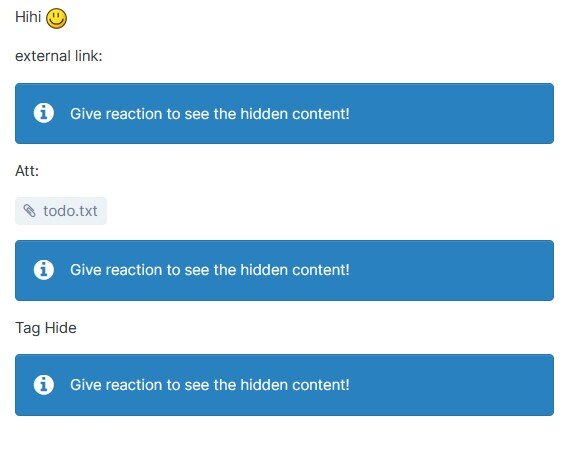
This plugin will hide LINKS, CODE, IMAGES and [HIDE] in articles from Pages app.

Features:

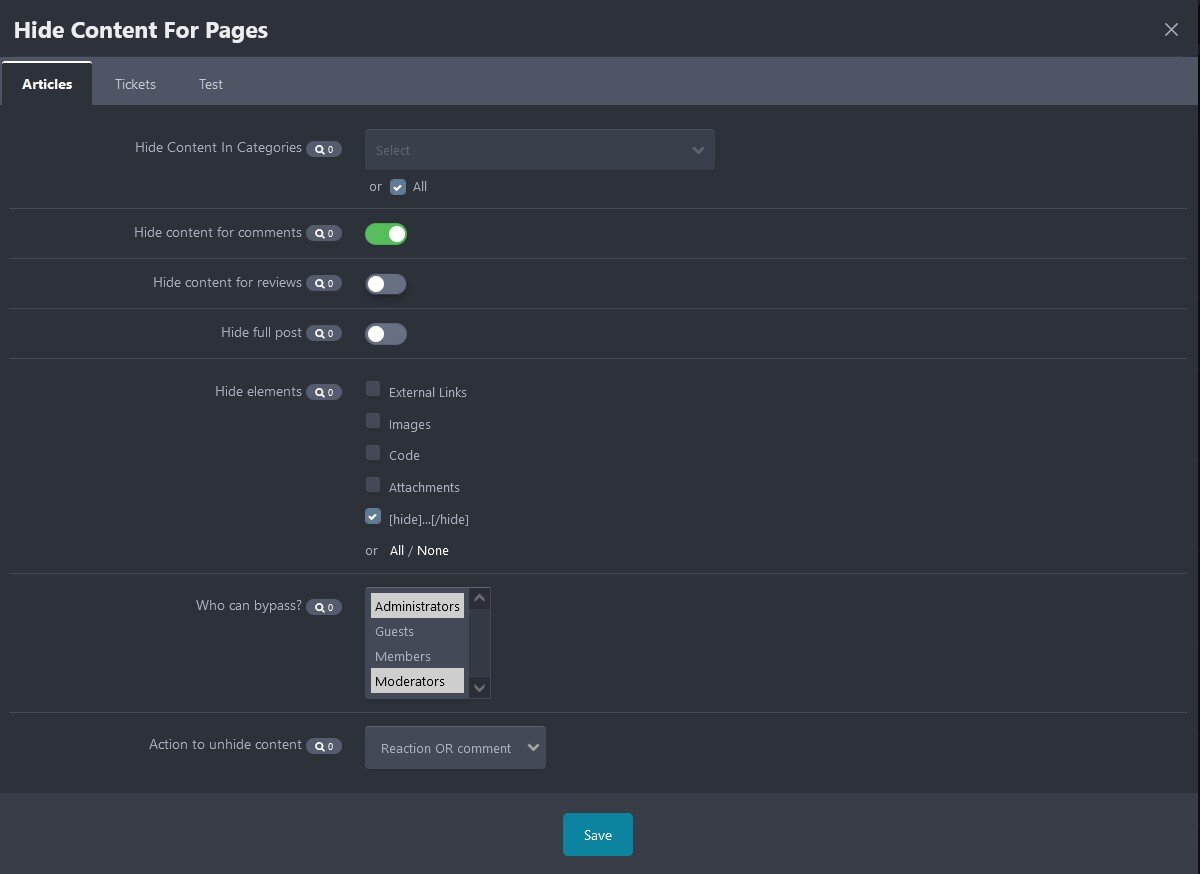
  • Select content to hide: images, external links, code, [hide] tag, attachments, or full content.
  • Select databases, categories for hidden content.
  • Enable hidden content in comments/reviews.
  • Option to specify groups can bypass the hidden content.
  • Reaction, reply or review to see the hidden content.

*** Requires PAGES app

What's New in Version 1.0.3

Released

No changelog available for this version.

Important Information

We have placed cookies on your device to help make this website better. You can adjust your cookie settings, otherwise we'll assume you're okay to continue.

Account

Navigation

Configure browser push notifications

Chrome (Android)
  1. Tap the lock icon next to the address bar.
  2. Tap Permissions → Notifications.
  3. Adjust your preference.
Chrome (Desktop)
  1. Click the padlock icon in the address bar.
  2. Select Site settings.
  3. Find Notifications and adjust your preference.