
Skip to content

Required Paid Files To Download 5.0.0

$18 · Renewal Term: $6/6 months

4 Screenshots

This app allows you to select specific paid files that users must purchase before they can download the current file.

Main functions:

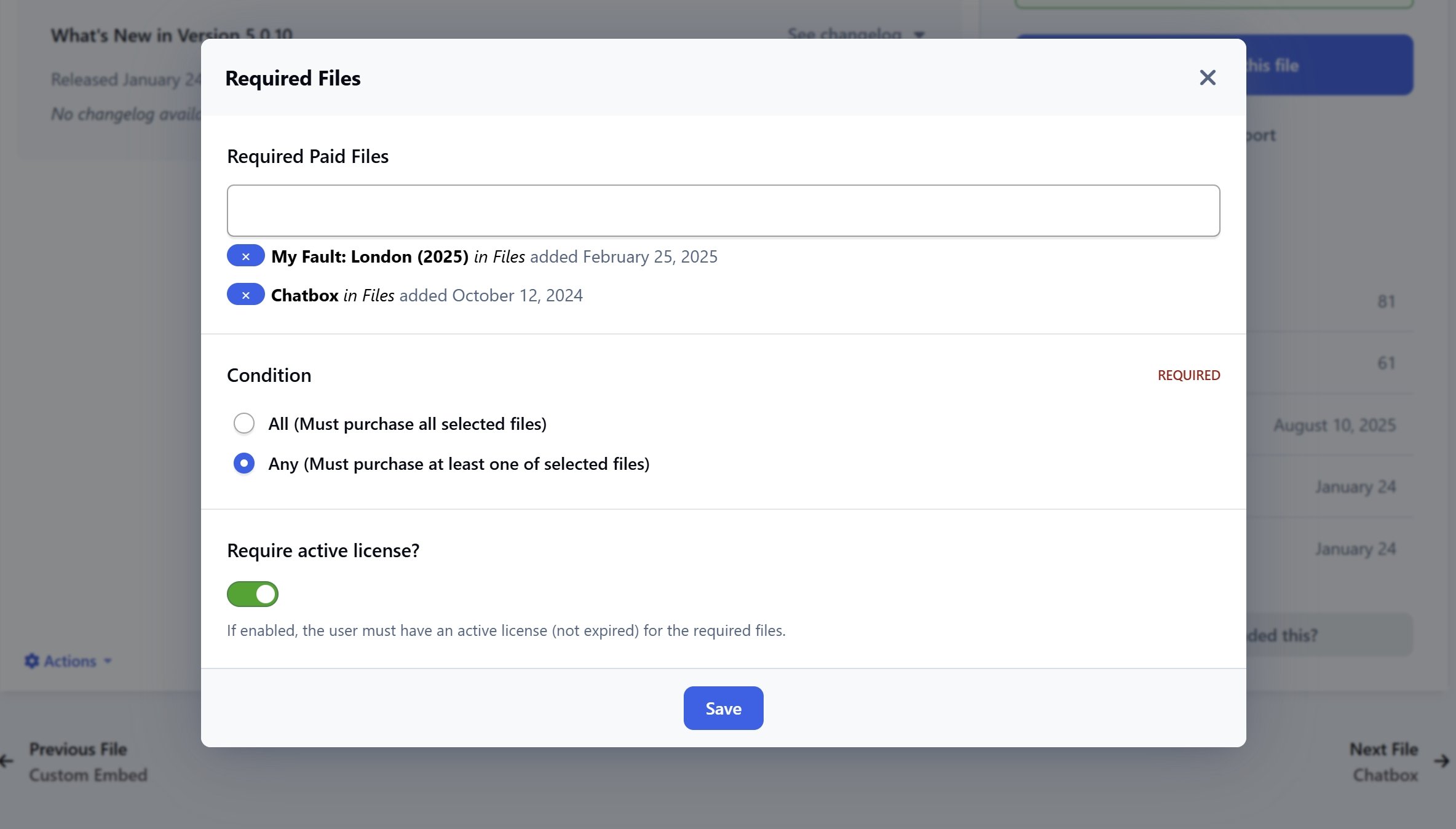
  • Set required paid files:

    • Select one or multiple paid files as mandatory conditions.

    • Requirement Logic: Support for AND or OR modes between required files.

    • Optionally require users to have an active license for the required files.

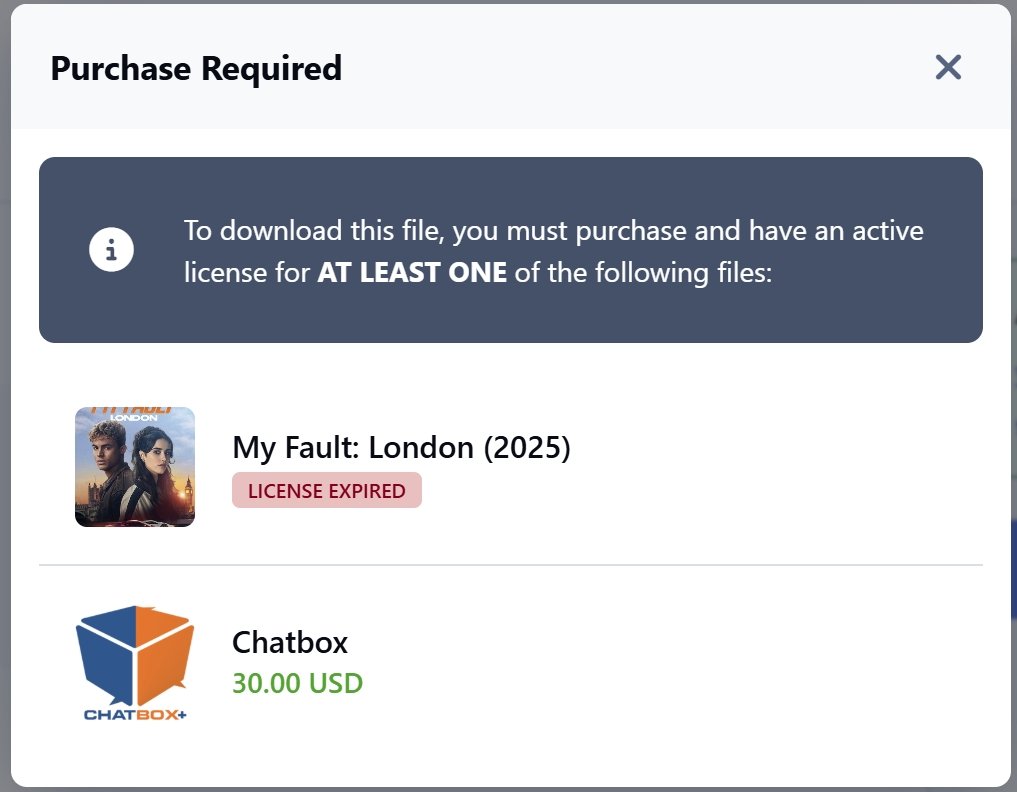
  • If users haven't met the requirements (haven't purchased the files or the license has expired), a notification dialog will appear with links to purchase those files.

📌 Note: Requires the Downloads app to be installed.

Important Information

We have placed cookies on your device to help make this website better. You can adjust your cookie settings, otherwise we'll assume you're okay to continue.

Account

Navigation

Configure browser push notifications

Chrome (Android)
  1. Tap the lock icon next to the address bar.
  2. Tap Permissions → Notifications.
  3. Adjust your preference.
Chrome (Desktop)
  1. Click the padlock icon in the address bar.
  2. Select Site settings.
  3. Find Notifications and adjust your preference.