IPS 5.x Resources
58 files
-
RTHub integrates Pusher, Ably, and Centrifugo servers to enable instant real-time updates for:
Active Viewers
NowReplies
Live Activity
ChatLite
ChatPro
Special thanks to @Sevence for sponsoring the development of Centrifugo server support.
- $15
onlyME -
Bring your chats to life with voice! This app enables users to effortlessly record and send voice messages in Chatbox or Chatbox Free.
Features:
Voice messages are saved as MP3 files for convenience and compatibility.
Flexible permissions: Control who can use the feature.
Customizable options to enable voice messaging in specific rooms, conversations, or clubs.
Set a maximum recording time to suit your needs.
- $15
onlyME -
‼️If you are using IPS Cloud, please consider carefully before purchasing. IPS may block chat applications on their Cloud platform at any time.
Switching from Chatbox PLUS to ChatLite? Read This First
If you are using the old Chatbox PLUS application, do not upgrade using the new ChatLite tar file. Instead, install ChatLite as a new application. Your data will be migrated automatically, and you can uninstall the old Chatbox PLUS application afterward.
Coded with ♥
ChatLite supports real-time communication through Pusher, Ably or Centrifugo when integrated with the RTHub application, providing a dynamic alternative to its default reliance on periodic Ajax calls to the server.
Demo: https://demo.ipsappzone.com/chatlite/room/1-public/
⭐Features:
Private one-2-one chat:
Chat boxes display on bottom right allow member to chat with each other.
Multi chat at same time.
Permission for who can use the private chat.
Ability to select skin for each box.
Load more messages on scroll up (or down).
Easy to find member name to start the chat.
Sound notification for new message.
Report messages.
User online status.
Minimize and close chat boxes.
Ban settings.
Supports Clean Text Input with emoji, Youtube, URL, images, audio files, GIPHY
Supports Lazyload images.
Interval in milliseconds.
Flood control.
Message length limit.
Permission to edit/delete messages.
Fully responsive - will adapt to mobile, tablet, desktop.
Group Chat
This feature is an extension of Member Chat to allow users to create a group and invite people to chat.
Option to set maximum users in a group.
Users can leave group whenever they want.
Displaying users list in a group.
System notification when user joins/leaves group.
Group owner can rename the group.
Permission for who can invite people to join group.
Rooms & Clubs Chat
Admin can create multiple rooms, display rooms in widgets, or a new page.
Club owner can create a room.
Announcement & Rules for each room.
Online Users list.
Allow guest to join and chat with their custom nickname and random avatar.
Show online users in the panel or popup.
Auto idle after X minutes.
Auto schedule: You can now set specific times for your room to automatically open and close.
Global Chat:
Show room in a a floating popup on the bottom of the pages so users can chat anywhere.
Toggle show/hide the popup.
Option to hide popup chat on mobile.
User controls:
On/Off sound notification.
Open chat in a popup.
Select skins.
Moderator controls:
Edit Announcement.
User blocking system:
Display moderator who blocked the user.
Ability to add the reason.
Auto unblock user after X minutes.
Clean room (delete all messages).
Quick edit/delete a message.
System messages to notify when:
New content posted from 3rd-party apps, supports:
Forums (new topic, new reply)
Downloads (new file, new comment, new review)
Pages (new article, new comment, new review)
Gallery (new image, new comment)
Blogs (new entry, new comment)
Calendar (new event, new comment)
Status updates, status replies
New registration.
Videobox (new video, new comment, new review)
Musicbox (new song, new comment)
Tutorials (new article, new comment)
New announcement.
New donation.
User joined/left room.
Auto Messages (Chat Bot)
Create multiple messages with cycle time in seconds.
Select a member as a Bot to post the messages automatically every X seconds.
The auto messages run on client-side, will not be saved to database for the best performance and saving database.
Archive messages:
Permission for who can view archive messages.
Search messages by member name, guest name, content, time.
Sorting messages by time, content, chatter name.
Edit/Delete/Report message.
Other features:
Input message:
Clean text: only supports URL, image URL, Youtube URL, GIF from GIPHY, upload image
Editor: You can use full formatting from Editor: color, bold, size, emoticons...
Many stylish designs available:
Standard
Bubbles
Condensed
Donation & SuperChat (requires IPS Commerce)
Allow users to donate directly in the room.
After making a payment, the message will be highlighted in a different color.
Ability to select permission for who can donate.
Select a donation goal from Commerce.
Easy to setup the color for SuperChat based on the donation amount.
Sending system notification when someone donates to the room.
Tools for admin:
Delete all system messages
Delete all room's messages
Delete all conversation
Import messages from the Chatbox FREE
Extra features:
Report center integration allows users to report bad massages.
Auto loads old messages when scrolling down (or up).
Highlight the message row if someone mentions you.
Flood control, max messages, limit characters, sorting messages...
Display number of online users in Chat menu.
Display counter of characters when typing message.
Support IPS Link Filter for disallowed/allowed links.
Ignored Users.
Lazy load images.
Fully responsive.
Want more? Upgrade to ChatPro
- $45
onlyME -
With MusicBox, share your sound! Upload your tracks online and let your music reach audiences on social media
Demo: http://demo.ipsappzone.com/musicbox/
Features:
Upload music files. Create playlists. Genres (categories) for songs, playlists. Custom Fields: create any number of custom fields that can be required (or optional) when users upload songs. Integrated with Nexus so users can sell/buy songs. Profile page for an artist with a rating system. Favorite system: users can create custom playlists. Music player supports random, repeat mode. Import songs from RSS feed. Comment system. Rating system. Sharing system. Tags. Friendly URL.- $55
onlyME -
LennyFace Application - Bringing Fun to Your Conversations!
What is Lenny Face?
Lenny Face is a popular set of ASCII emoticons that adds humor, sarcasm, and expression to online conversations. Commonly used in gaming, chat platforms, and forums, LennyFace includes characters like ( ͡° ͜ʖ ͡°), ( ಠ ʖ̯ ಠ ), and ¯_(ツ)_/¯, making interactions more engaging and expressive.
About This Application
This LennyFace application is designed to seamlessly integrate with IPS Editor, Chatbox+, and Chatbox Free, allowing users to quickly access and insert LennyFace emoticons into their conversations. Whether you're replying to a post, chatting, or customizing messages, this tool makes it effortless to add personality to your text.
Key Features & Benefits
✅ Easy Access – Quickly insert LennyFace.
✅ Group Organization – LennyFaces are categorized for better navigation.
✅ Recently Used – The app remembers your most used emoticons for quick reuse.
✅ IPS Editor Integration – Works smoothly within the IPS text editor.
✅ Chatbox+ & Chatbox Free Support – Enhance your chat experience with expressive ASCII art.
✅ Easy Management – Add, edit, and organize LennyFace emoticons with ease.
✅ Export & Import – Save and share your collection by exporting LennyFaces to XML. Easily restore or import whenever needed.
Start using it now and make your conversations more fun and engaging! 🎭✨
🐼 Demo Chatbox+: https://demo.ipsappzone.com/chatbox/room/1-public/
🐼 Demo Chatbox Free: https://demo.ipsappzone.com/bimchatbox/
After purchasing, go to Docs tab to download and import a LennyFaces pack with nearly 300 icons ᕙ(▀̿ĺ̯▀̿ ̿)ᕗ
- $15
onlyME -
ChatPro Magic Words is a fun and interactive visual addon for ChatPRO that automatically triggers stunning animated effects whenever users type specific keywords in chat conversations.
Key Features:
Create and manage custom keyword triggers linked to different animation effects for each chat room.
Includes a wide collection of unique animated effects:
Multi-Fireworks Blast
Corner Side Cannons
Flying Santa Sleigh
Golden Stars Cluster
Heart Shower
Red Kiss Smack
Money Rain
Night Fireflies Glow
Floating Balloons Rise
Spooky Halloween Ghost
Rain & Thunderstorm
Cozy Christmas Spirit
Lunar New Year
New Year Cheers
Ethereal Mid-Autumn Moon
Birthday Party Blast
Instant Preview allows you to preview and select animations directly from the ACP.
Easily configure which private chats, user groups, or public chat rooms can use specific effects.
Perfect for holidays, celebrations, seasonal events, community engagement, and making chat conversations feel more alive and entertaining.
- Free
- 9 Downloads
onlyME -
Who Viewed is a powerful activity tracking application that lets you see exactly who is viewing content across your community. Easily control which applications are tracked, which member groups are monitored, and who has permission to view visitor lists.
The application also includes an advanced Member View History system with dedicated profile tabs in both the ACP and Front-end. Gain deeper insights into member behavior through a detailed Activity Overview featuring Peak Activity Time, Last Activity, and Recent Interests tracking.
Supports: Forums, Pages, Download, Blog, Gallery, Calendar, Videobox, MangaHub, and more...
- $18
onlyME -
This app allows members to add a gallery to their post by BBCode. (Supports Forums & Pages)
The application may not work properly on IPS Cloud.
Main Features:
Enable/disable
Groups can use
Responsive Gallery
Customization: width/height, auto play, thumbnail, transitions, speed, image crop
There is a form in the editor that helps members easy to add image URLs, captions, or select albums (from Gallery app)
Demo: https://demo.ipsappzone.com/topic/1013-gallery-test/
- $15
onlyME -
Automatically groups all your IPSAppZone applications into a single ACP menu. No configuration required, immediately after installation, all IPSAppZone applications are neatly organized into one navigation menu, instantly decluttering your ACP sidebar for a cleaner and more efficient workflow.
- Free
- 20 Downloads
onlyME -
This application is designed to provide a simpler, more streamlined homepage for the Downloads application using either a tabs or grid layout. It includes options to hide the submitter information, adjust image aspect ratios (16:9, 1:1, 21:9), simplify the categories block... The portal is complemented by several useful widgets:
What’s New with Tabs or Grid display modes for highlighting recent and relevant files
Changelogs: a visual timeline of file updates
MagicWall: a cinematic, animated wall of file screenshots with smooth random transitions to create an eye-catching showcase area
Custom File Feed: an extended version of the default File Feed with an additional random display mode
Stats:
Total Members
Total Files
Total Downloads
Total Comments
Total Reviews
Hot Files of the Week
Latest File
Recently Updated File
More widgets will be added in future updates based on community feedback.
Demo: https://ipsappzone.com/
- $15
onlyME -
Simple FAQ is a fast, lightweight, and easy-to-use application designed to build a beautiful, modern Frequently Asked Questions (FAQ) section on your website. With an elegant accordion layout and smart interactive features, it helps your users find answers instantly while keeping your forum interface clean and engaging.
Key Features:
Create different FAQ pages and lists on various subjects (such as Shipping, Payments, or Account Help) to easily organize your questions by topic.
Users can click to smoothly expand or collapse answers with beautiful sliding animations.
Control who can view each FAQ.
Instant Search: Filter questions instantly as users type, complete with:
Keyword Highlighting: Automatically bolds and highlights matched words in both questions and answers so users spot results immediately.
Mobile-Friendly Layout: On mobile phones and narrow sidebars, the search bar shrinks into a small magnifying glass icon to save screen space, smoothly sliding open only when tapped.
Helpfulness Feedback System: Allow users to vote whether each answer was helpful or not to capture valuable community insight.
Interactive Voting: Sleek YES / NO dynamic buttons with instant AJAX feedback, allowing users to smoothly change their mind or retract their vote at any time.
Helpfulness Dashboard: Monitor user feedback statistics in a dedicated admin view to easily identify and improve your FAQ content.
Flexible Widgets System: Drag and drop your FAQ block anywhere on your website with fully customizable settings:
FAQ Selection: Choose which specific FAQ to display.
Default State: Choose whether answers are closed or open by default on page load.
Solo Mode: Choose to allow only one question to be open at a time.
Toggle Search: Easily show or hide the instant search bar depending on your layout.
Simple FAQ is the perfect solution to present your community's help center in a clean, modern, and highly interactive format.
- $18
onlyME -
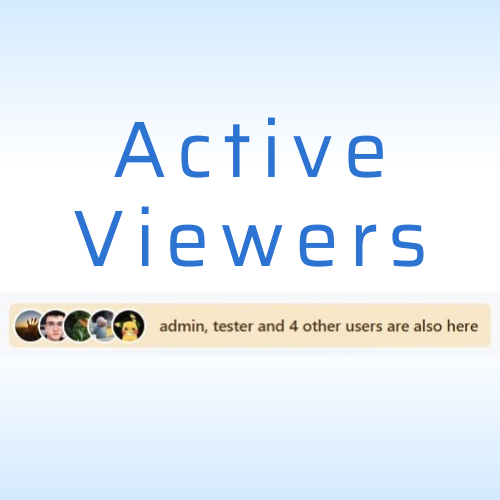
Active Viewers is an application that displays the list of members currently viewing specific content on your site with AJAX updates, helping users see who is engaging with discussions or browsing category.
Key Features:
Displays the list of members currently viewing specific content, supports:
IPS Apps: Forums, Downloads, Pages, Blog, Gallery,
Videobox
Mangahub
SportApps
Video Directory
Services
Quizzes
Links Directory
Tutorials
Staff Applications System
Recipes
Games
Movies
Music
Crowdfunding
Raffles
Jobs
Routes
In category view, shows the total number of users viewing each post.
Specify which member groups can use this feature.
Polling interval is configurable.
Polling pauses when the user is idle.
2 display layouts for the online members list.
Integrates with RTHub to use real-time services from Pusher or Ably.
This application does not work on IPS Cloud
- $25
onlyME -
This app supports the IPS Editor, Chatbox, and Chatbox FREE, allowing users to find and post the perfect GIFs from GIPHY, the world's largest library of animated images.
Features:
MPAA rating filter.
Search GIFs / Stickers
Recently used GIFs.
Trending GIFs (currently trending on the GIPHY homepage).
Supports the IPS Editor.
Supports Chatbox and Chatbox FREE:
Display button
Use the /giphy command to find GIFs.
Integrates with the Emoji Panel.
Native Giphy integration is now built into the core software. This application adds additional functionality as shown above and integrates with my other applications: Chatbox, Chatbox FREE
- $15
onlyME -
This is an addon for Chatbox PRO that allows users search and share GIFs directly in chats.
With simple permission controls and content filtering, it helps make conversations more expressive, fun, and engaging.
- Free
- 26 Downloads
onlyME -
ChatPro Poll is an add-on for Chatbox PRO that allows users to create and manage polls directly inside chat conversations.
Features & Options
Poll Creation
Create polls with custom question and add multiple answer options
Add, remove, and reorder choices easily
Simple and clean popup interface
Voting Controls
Set maximum choices per user
Support single or multiple selection
Allow users to change their vote
Allow authors to close polls manually
Enable or disable public voter list
Expiration Settings
Set poll expiration time
Option to keep poll open indefinitely
Countdown timer display
Automatic status update when expired
ACP Management
Choose which user groups can create polls
Enable polls in Public Rooms
Enable polls in Group Chats
Enable polls in Private Chats
Set maximum choices per poll
Configure question character limit
Configure answer character limit
Manage all polls easily
ChatPro Poll integrates seamlessly into Chatbox PRO, helping communities increase engagement, collect feedback, and run interactive discussions directly within the chat system.
- Free
- 11 Downloads
onlyME -
This app acts as an addon for Chatbox Pro. It sends system messages to a specified chat room when there are new posts, new replies, new member registrations...
Supports content from the following apps: Forums, Pages, Downloads, Blogs, Gallery, Videobox, Musicbox.
- Free
- 10 Downloads
onlyME -
This application is an add-on for Chatbox PRO that lists all private and group chat rooms in ACP. It allows Admin to search by room ID or username, and easily view or delete chat rooms.
- Free
- 22 Downloads
onlyME -
ChatPRO Doodle is an add-on for Chatbox PRO that lets users draw simple doodles directly inside conversations. It makes chatting more expressive and fun by allowing quick hand-drawn sketches with basic colors. Because sometimes a doodle says more than a thousand words. ✏️😊
Demo: https://demo.ipsappzone.com/chatpro/
(Click the Trial account button in the top-right corner to create a trial account and test the demo application)
- Free
- 26 Downloads
onlyME -
This is very simple chat system with the basic features:
Ajax chat, auto update.
Display as a widget, so you can place it in sidebar or top page.
Sound notification. User can toggle on/off.
Admins/Moderators can block users.
Load more messages when scrolling end (or top).
Rules.
Supports emoticons, URL, Images (GIF, PNG, JPG)
Supports GIPHY to finds GIFs and Stickers by using /giphy command (Eg: /giphy happy new year)
Supports Voice Messages
Supports Youtube, playing video in iframe and popup
@mention by clicking on usernames.
Flood control.
Bad word filters.
Time format.
Display newer messages in top or bottom.
Permissions for viewing, chatting & management.
Edit/Delete messages.
Demo: https://demo.ipsappzone.com/bimchatbox/
This is a free version with basic features, if you need advanced features, take a look at PLUS version:
- Free
- 227 Downloads
onlyME -
This app allows you to select specific paid files that users must purchase before they can download the current file.
Main functions:
Set required paid files:
Select one or multiple paid files as mandatory conditions.
Requirement Logic: Support for AND or OR modes between required files.
Optionally require users to have an active license for the required files.
If users haven't met the requirements (haven't purchased the files or the license has expired), a notification dialog will appear with links to purchase those files.
📌 Note: Requires the Downloads app to be installed.
- $18
onlyME -
This application allows adding cover images or HTML in forum view quickly and easily.
Features:
Show a single image or multiple images (slider style) in the top of forum view.
Option to display forum cover in topic view.
Support HTML.
Various customization options for slider style such as navigation buttons, auto slide, max height, interval, transition effect, display forum's title & description in cover.
Fully responsive.
Demo: https://demo.ipsappzone.com/forum/2-a-test-forum/
- $15
onlyME -
Theme Profiles is a simple styling tool for who don’t want to install or manage multiple themes, or those who prefer a clean, minimal, and hassle-free experience.
Instead of switching themes or editing custom.css, you create CSS profiles and change your site's appearance instantly. You can create profiles for seasons, special events, or different design styles, then switch between them with one click.
No duplicated themes, no broken updates, no wasted time. One theme. Multiple styles.
Note: The application works best with the IPS Default Theme.
You can also download ready-made profile presets here:
https://ipsappzone.com/file/67-profile-presets-for-themeprofiles/
Demo:
https://demo.ipsappzone.com
(Scroll down to the footer and select Styles)
- Free
- 25 Downloads
onlyME -
TMDB EasyPost – Create Movie & TV Show Topics Instantly from TMDB!
TMDB EasyPost is the ultimate tool for creating captivating topics about movies and TV shows from TheMovieDB (TMDB) with just a URL or by searching by title! Perfect for movie communities, review websites, and entertainment forums, this app simplifies content creation, helping you engage your audience with rich, detailed posts.
✨ Key Features:
🚀 Instant Post Creation: Generate fully detailed posts from TMDB URLs or by searching TV shows and movies by title in seconds.
🌍 Multi-Language Support: Import movie details in any ISO-639-1 language supported by TMDB
🎯 Multi-App Integration: Seamlessly publish to Forums, Pages, Downloads, and Videobox.
📊 Rich Content: Automatically includes poster, trailers, cast, crew, genres, backdrops and more.
With TMDB EasyPost, creating professional-looking movie and TV show topics has never been easier. Delight your audience and grow your community effortlessly! 🎬🌟
🫱Demo:
https://demo.ipsappzone.com/topic/1203-alarum-2025
https://demo.ipsappzone.com/video/view/525-gladiator-ii-2024/
- $20
onlyME -
Transform your profiles into a space where creativity and self-expression thrive with Advanced Profile Page!
Key Features:
Custom Backgrounds: Let members personalize their profile with custom backgrounds that reflect their personality.
Favorite Song Upload: Add a favorite song to your profile and let others experience your vibe while visiting.
Notes with Style: Update moods, statuses, or share thoughts using text notes with support for emojis and Font Awesome icons.
Photo Albums: Members can upload and showcase their favorite images in a beautiful album format.
All these features are conveniently displayed in a stylish sidebar, enhancing the visual appeal and interaction of profile pages. Admins can easily manage feature availability with ACP settings, enabling or disabling individual features for specific member groups.
Demo: https://demo.ipsappzone.com/profile/1-admin/
- $18
onlyME -
This is a lightweight application that integrates a translation tool directly into the Editor, allowing users to write content in their native language. With just one click, the app uses Gemini AI to instantly translate the text into your chosen target language.
- $15
onlyME